

Before diving into this content, it would be helpful to read the following guides:
The following features are available in the following SDK versions:
- Python SDK: >=0.1.141
- JS/TS SDK: >=0.2.5
Attachment type in Python and Uint8Array / ArrayBuffer in TypeScript.
Python
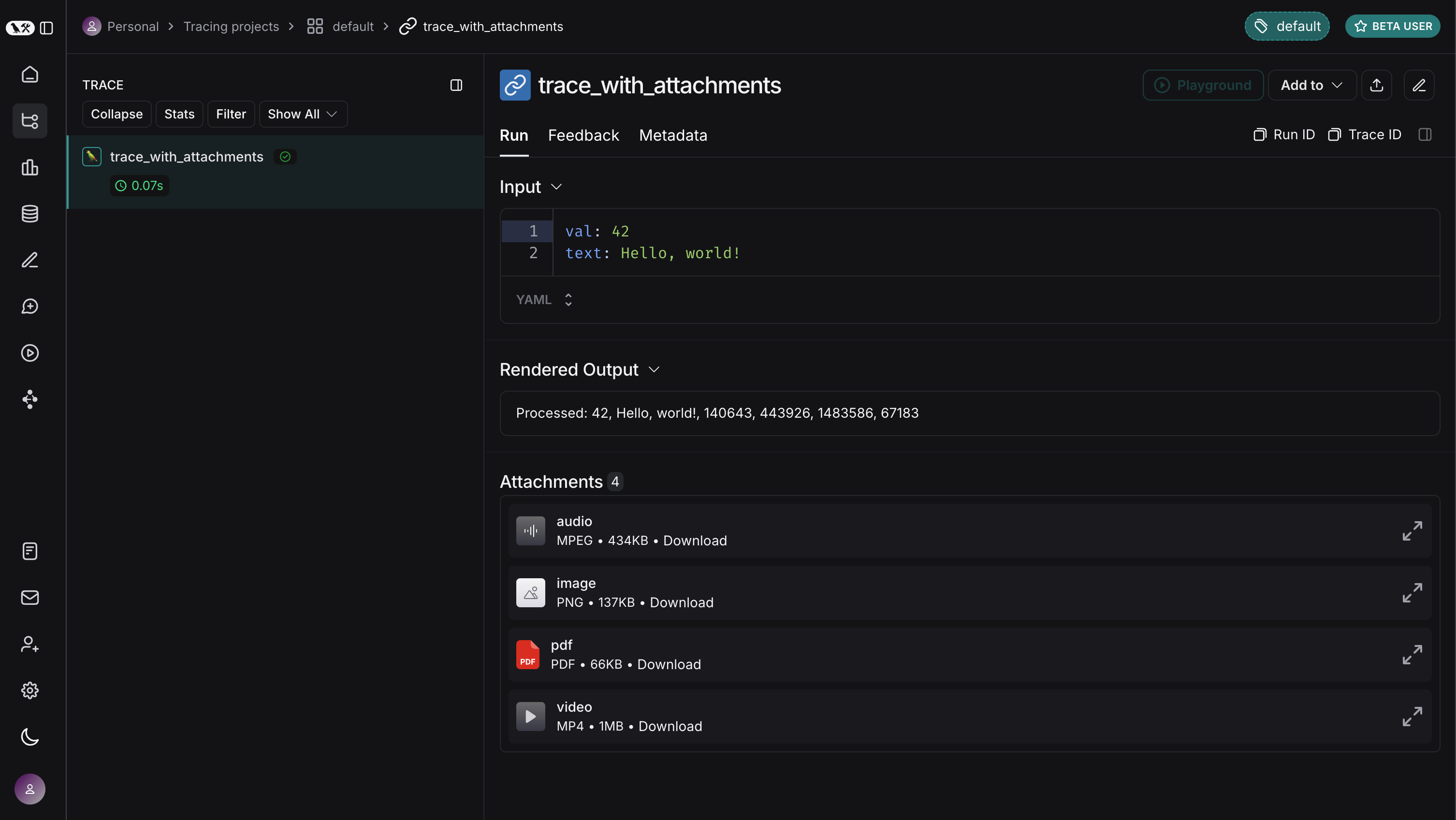
In the Python SDK, you can use theAttachment type to add files to your traces. Each Attachment requires:
mime_type(str): The MIME type of the file (e.g.,"image/png").data(bytes | Path): The binary content of the file, or the file path.
(mime_type, data) for convenience.
Simply decorate a function with @traceable and include your Attachment instances as arguments. Note that to use the file path instead of the raw bytes, you need to set the dangerously_allow_filesystem flag to True in your traceable decorator.
Python
TypeScript
In the TypeScript SDK, you can add attachments to traces by usingUint8Array or ArrayBuffer as data types. Each attachment’s MIME type is specified within extractAttachments:
Uint8Array: Useful for handling binary data directly.ArrayBuffer: Represents fixed-length binary data, which can be converted toUint8Arrayas needed.
traceable and include your attachments within the extractAttachments option.
In the TypeScript SDK, the extractAttachments function is an optional parameter in the traceable configuration. When the traceable-wrapped function is invoked, it extracts binary data (e.g., images, audio files) from your inputs and logs them alongside other trace data, specifying their MIME types.
Note that you cannot directly pass in a file path in the TypeScript SDK, as accessing local files is not supported in all runtime environments.
TypeScript
TypeScript
Connect these docs to Claude, VSCode, and more via MCP for real-time answers.